Developer API
Turn any PDF into a programmable AI assistant.
Upload a document, send chat-style prompts, control behavior with system prompts, and get structured answers.
Try It Free (No Risk)
Every account includes a $1 free wallet credit.
- No credit card required
- Full API access available
- Test real queries immediately
Build and test your integration before spending anything.
Plans and Feature Access
| Feature | Free | Budget | Standard | Pro |
|---|---|---|---|---|
| Trial wallet credit | $1 | — | — | — |
| API access | Yes | Yes | Yes | Yes |
| Storage limit | 50 MB | 100 MB | 250 MB | 1 GB |
| Max PDFs | 2 | 10 | 20 | 100 |
| Voice features | No | No | Yes | Yes |
Custom system_prompt / personality |
No | No | Yes | Yes |
| Agents | No | No | Yes | Yes |
| Allowed models | gpt-4o-mini |
gpt-4o-mini |
gpt-4o-mini, gpt-4o |
gpt-4o-mini, gpt-4o |
Important: If a custom system_prompt is provided on Free or Budget plans,
it will be ignored and replaced with the default assistant behavior.
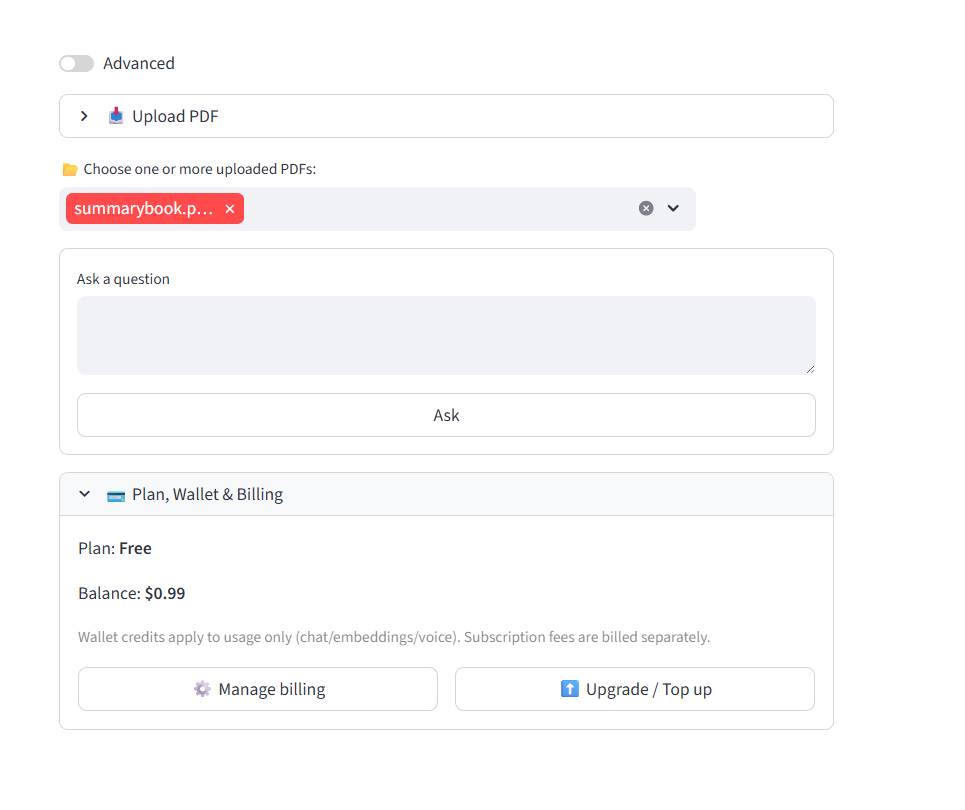
Plan, wallet balance, and billing controls inside the application.
Get an API Key
Go to:
https://users.pdf-insights.ai/ui/
Register for an account (username, email, and password required).
You can create an API key on the Free plan and begin testing immediately using your trial credit.
After logging in, open the Advanced menu.
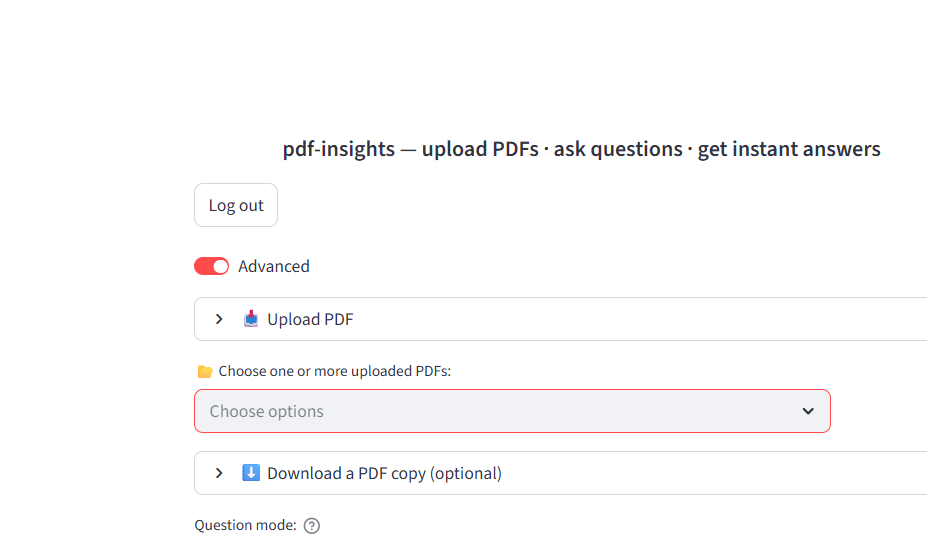
Scroll to the bottom and expand the Developer API section.
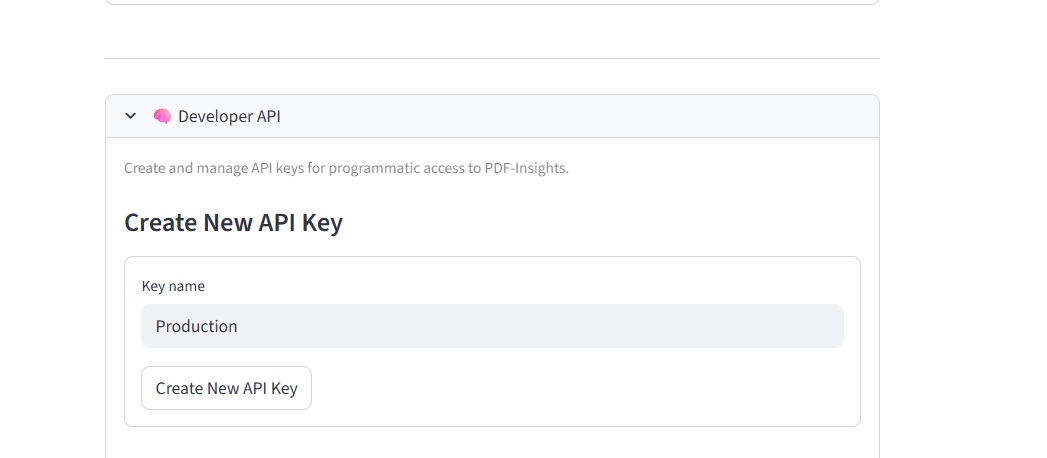
Click Create New API Key.
- API keys begin with
pdi_live_ - The key is shown once only
- Store it securely
Quick Start
Python Example
import requests
import uuid

API_KEY = "pdi_live_xxxxxxxxxxxxxxxxxxxxxxxxxxxxxxxx"
BASE_URL = "https://users.pdf-insights.ai"

headers = {
    "Authorization": f"Bearer {API_KEY}"
}

# -------------------------------
# 1. Upload PDF
# -------------------------------
with open("example.pdf", "rb") as f:
    upload_resp = requests.post(
        f"{BASE_URL}/pdf/upload",
        headers=headers,
        files={"file": ("example.pdf", f, "application/pdf")}
    )

upload_resp.raise_for_status()
upload_data = upload_resp.json()

pdf_id = upload_data["pdf_id"]
print("Uploaded PDF ID:", pdf_id)

# -------------------------------
# 2. Send chat request
# -------------------------------
payload = {
    "session_id": str(uuid.uuid4()),
    "pdf_id": pdf_id,
    "message": "Summarize this document",
    "system_prompt": "You are a helpful assistant"
}

chat_resp = requests.post(
    f"{BASE_URL}/chat",
    headers=headers,
    json=payload
)

chat_resp.raise_for_status()
data = chat_resp.json()

# -------------------------------
# 3. Output
# -------------------------------
print("\\nANSWER:\\n")
print(data["answer"])

print("\\nCOST:\\n")
print(data.get("cost"))
Authentication
Authorization: Bearer pdi_live_xxxxxxxxxxxxxxxxxxxxxxxxxxxxxxxxWorkflow
- Create API key
- Upload PDF
- Save
pdf_id - Send chat request
- Optionally use
system_prompt
Endpoints
POST /pdf/upload
Upload a PDF:
with open("example.pdf", "rb") as f:
    requests.post(
        f"{BASE_URL}/pdf/upload",
        headers=headers,
        files={"file": ("example.pdf", f, "application/pdf")}
    )
Response:
{
  "pdf_id": "your-pdf-id"
}
POST /chat
Request:
{
  "session_id": "your-session-id",
  "pdf_id": "your-pdf-id",
  "message": "Summarize this document",
  "system_prompt": "You are a helpful assistant"
}
Response:
{
  "answer": "...",
  "status": "ok",
  "model_used": "gpt-4o-mini",
  "system_prompt_used": "...",
  "cost": {
    "charged_usd": 0.0021,
    "wallet_balance_usd": 4.9979
  }
}
Notes on /chat:
- Use
messagefor the user prompt - Include a
session_idwith each request - A new
session_idcan be generated for a new conversation
system_prompt
Use system_prompt to control assistant behavior:
You are a refrigeration engineer diagnosing failures.You are a compliance auditor.You are a safety trainer explaining this clearly.You are a legal assistant reviewing contracts.
This allows you to create assistants for many roles and industries, including engineering, compliance, training, operations, customer support, and legal assistance across different practice areas.
Custom assistant behavior requires a Standard plan or higher.
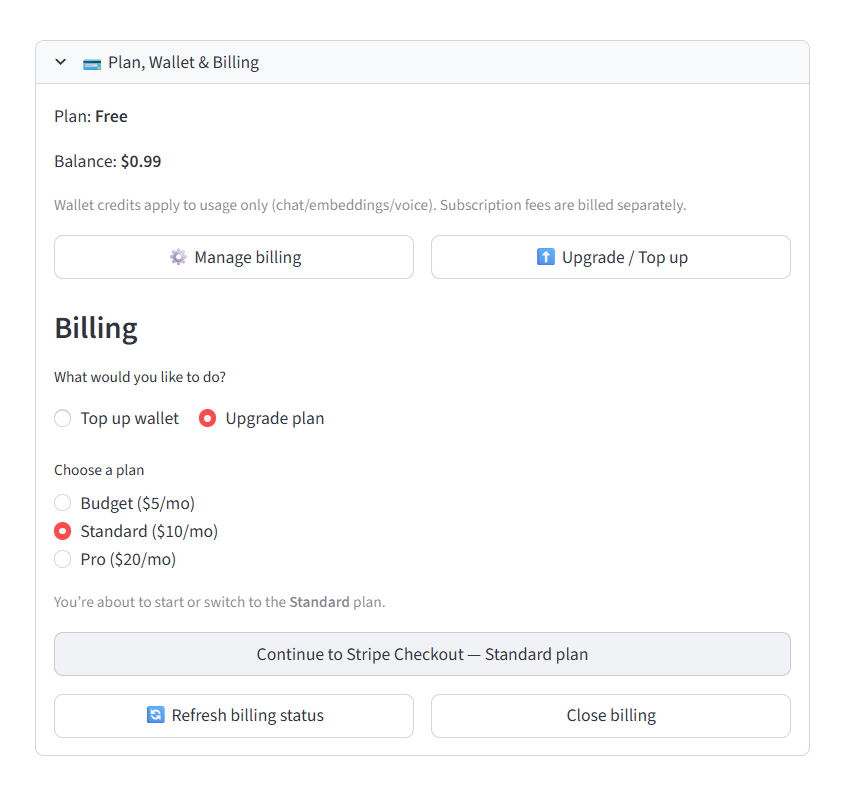
Upgrade to Standard or higher to enable custom assistant behavior.
cURL Example
Upload:
curl -X POST "https://users.pdf-insights.ai/pdf/upload" \
  -H "Authorization: Bearer pdi_live_xxx" \
  -F "file=@example.pdf;type=application/pdf"
Chat:
curl -X POST "https://users.pdf-insights.ai/chat" \
  -H "Authorization: Bearer pdi_live_xxx" \
  -H "Content-Type: application/json" \
  -d '{
    "session_id": "123e4567-e89b-12d3-a456-426614174000",
    "pdf_id": "your-pdf-id",
    "message": "Summarize this document",
    "system_prompt": "You are a helpful assistant"
  }'
Status
- API keys working
- Upload working
- Chat working
Key Idea
Turn any PDF into a programmable AI assistant.